How secure is OpenCore Legacy Patcher compared to official macOS?
As macOS Tahoe (released September 15, 2025) continues to roll out, many Intel Mac users turn to OpenCore Legacy Patcher (OCLP) to extend their hardware’s life with the latest OS. While OCLP is a game-changer for unsupported Macs, security concerns often arise when using third-party tools versus Apple’s official macOS updates.
This article explores the security landscape of OCLP as of September 27, 2025, comparing it to Apple’s native macOS, and provides insights to help you make an informed decision.
Security Foundations: Official macOS vs. OCLP
Apple’s macOS benefits from a tightly controlled ecosystem, with security features like Secure Boot, System Integrity Protection (SIP), and regular updates patched by Apple directly. As of Tahoe 26.0, Apple has enhanced encryption and sandboxing, leveraging its Secure Enclave and T2 chips for hardware-level protection.
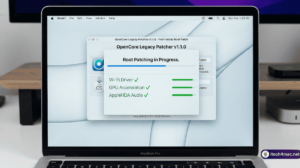
OCLP, an open-source project by the Dortania community, modifies Apple’s boot process to enable unsupported macOS versions. It relies on OpenCore, a bootloader that bypasses some native security checks. While OCLP inherits macOS’s core security once booted, the patching process introduces vulnerabilities, particularly if mishandled.
Key Security Differences
| Aspect | Official macOS | OpenCore Legacy Patcher |
|---|---|---|
| Boot Security | Secure Boot with signed firmware | OpenCore bypasses some checks; relies on user-configured EFI |
| SIP Status | Fully enabled by default | Partially disabled during patching; re-enabled post-install |
| Update Process | Signed, verified updates | Manual updates; risk of incompatible patches |
| Vulnerability Exposure | Apple patches promptly | Community-driven; delays possible |
| T2 Chip Support | Native integration | Limited; T2 panics reported with Tahoe |
OCLP’s reliance on user-modified configurations (e.g., custom kexts and SSDTs) can introduce risks if sourced from untrusted repositories. Official macOS, conversely, avoids such manual intervention, reducing human error.
Potential Risks with OCLP
- Bootloader Exploits: Modifying the EFI partition opens a vector for malware if not secured properly. The OCLP team recommends locking the firmware post-install, but this requires technical know-how.
- Outdated Patches: With Tahoe support still pending (targeted for OCLP v3.0.0 in late 2025), current versions (up to 1.5.x) lack Tahoe-specific security fixes, leaving gaps.
- Community Dependency: Security updates depend on volunteer developers, unlike Apple’s coordinated response. A Reddit thread from September 2025 noted a delay in addressing a Tahoe beta exploit.
That said, OCLP’s open-source nature allows community auditing, potentially catching issues faster than closed systems in some cases.
Mitigating Risks with OCLP
To maximize security with OCLP:
- Download only from the official GitHub repo to avoid tampered builds.
- Use the latest stable release (e.g., 1.5.0 for Sequoia) and follow the OCLP guide for setup.
- Enable FileVault encryption post-install to protect data, even with a modified boot process.
- Regularly check the OCLP support page for updates on Tahoe compatibility.
Official macOS: The Gold Standard
Apple’s track record includes rapid patches for vulnerabilities, like the 2024 M1 exploit fixed in Sequoia 15.6. Tahoe builds on this with AI-driven threat detection, reducing zero-day risks. However, this security comes at the cost of excluding older hardware, pushing users toward OCLP.
Finally
Official macOS remains more secure due to Apple’s controlled updates and hardware integration. OCLP offers a viable workaround for legacy Macs but introduces risks from its patching process and delayed support for Tahoe. For sensitive data, stick with a supported macOS version unless you can secure OCLP properly. Have security concerns about your setup? Share your model below – we’ll tailor advice for you!






1 thought on “How secure is OpenCore Legacy Patcher compared to official macOS?”