Is Your Old Mac Stuck on Sequoia Forever? The OCLP & macOS Tahoe Reality in April 2026
If you own an older Intel Mac and rely on OpenCore Legacy Patcher (OCLP) to stay current with macOS, the past few months have brought a stream of difficult news. This article gives you the complete, honest picture — no hype, no false promises — so you can make the right decision for your machine today.
The Short Answer: No, OCLP Does Not Support macOS Tahoe Yet
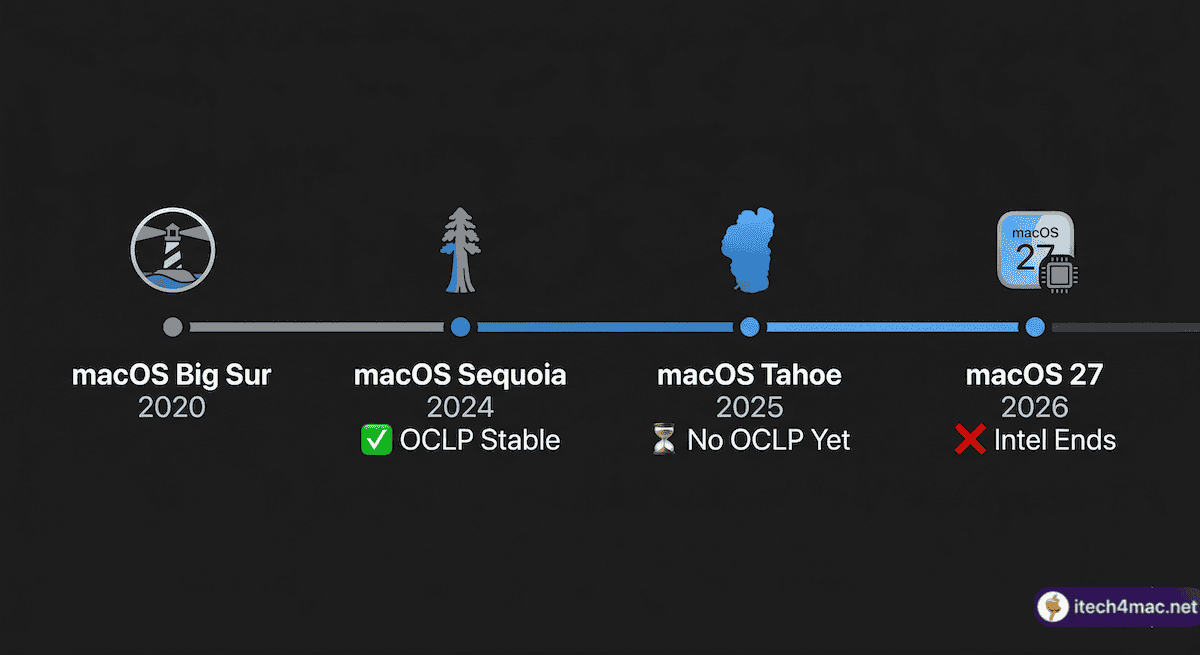
As of March 2026, there is no stable OCLP release that installs macOS Tahoe (macOS 26) on unsupported Macs. OCLP 2.4.1 — released in September 2024 — remains the last official stable version. It supports macOS Sequoia (macOS 15) on older Intel hardware, and that is currently the ceiling.
OCLP 3.0.0, the version being built to add Tahoe support, exists only as nightly/experimental builds. The team’s rough “winter 2025” estimate passed with no public release. No new date has been provided.
What Has Actually Changed in 2026
The situation has shifted significantly in just the past few weeks. Here is a timeline of what has happened:
- June 2025 — WWDC25: Apple officially announced that macOS Tahoe would be the last macOS version to support Intel Macs. macOS 27 and beyond will be Apple Silicon only.
- September 2025 — macOS Tahoe released: OCLP team confirmed it does not support Tahoe at launch. Users were advised to remain on Sequoia.
- Late 2025: Lead developer Mykola Grymalyuk left OCLP to join Apple. Other key contributors also departed, significantly slowing development.
- March 22, 2026: The OCLP team announced they are no longer accepting donations, citing the uncertain future of the project.
- April 2026 (today): OCLP 3.0.0 stable still not released. No new public timeline given.

Why Is macOS Tahoe So Difficult for OCLP?
OCLP works by patching Intel-compatible code that Apple still includes inside macOS. macOS Tahoe introduced two major barriers that make this harder than any previous release:
1. The T2 Chip Problem
MacBook Air (2018–2019), MacBook Pro (2018–2019), Mac mini (2018), Mac Pro (2019), and iMac Pro (2017) all contain Apple’s T2 security chip. Tahoe’s new SIP (System Integrity Protection) enforcement causes kernel panics on these machines before the OS even loads. This is the single biggest technical blocker for OCLP 3.0.0.
2. Apple Is Removing Intel Code
With macOS 27 expected to be Apple Silicon only, Apple has already started thinning Intel-specific code from its frameworks. With each Tahoe update, there is less Intel-compatible code left for OCLP to patch around — the foundation the tool depends on is shrinking.
3. Smaller Development Team
With key contributors having left, the team maintaining OCLP is smaller than at any point in the project’s history. Complex problems that would previously take weeks now take months.
What This Means for Your Specific Mac
Your situation depends on which Mac you own and what macOS you are currently running:
| Your Situation | Recommended Action |
|---|---|
| Running macOS Sequoia 15.x via OCLP 2.4.1 | ✅ Stay here. You have a security runway through approximately autumn 2027. |
| Running macOS Sonoma 14.x via OCLP | ⚠️ Consider upgrading to Sequoia while OCLP 2.4.1 is stable and actively maintained. |
| Waiting to install macOS Tahoe via OCLP | ⏳ Wait. No stable release exists. Do not use nightly builds on a primary machine. |
| Handling sensitive data on OCLP-patched machine | 🔐 Read the security tradeoffs section below before deciding. |
The Security Runway Explained
One of the most practical questions old Mac users ask is: how long will my OCLP-patched Mac stay secure?
Apple typically provides security updates for the two previous macOS versions. Based on the current release pattern:
- macOS Sequoia (15.x): Expected to receive security updates through approximately autumn 2027, after macOS 27 is released.
- macOS Sonoma (14.x): Security updates expected through approximately autumn 2026.
This gives you time to plan — but not unlimited time. If your Mac is a primary work machine with sensitive data, start evaluating alternatives now rather than scrambling in late 2027.
Is OCLP “Dead”? The Honest Answer
Not quite — but it is at a turning point. Here is what we know:
- Development on Tahoe support is still ongoing — confirmed by active GitHub commits.
- The project will likely continue to serve users on Sequoia and Sonoma even if Tahoe support never ships.
- macOS 27 will almost certainly be the end of the road for OCLP entirely — there will be no Intel code left to patch.
- The team’s decision to stop accepting donations reflects uncertainty, not a formal shutdown announcement.
What Are Your Alternatives?
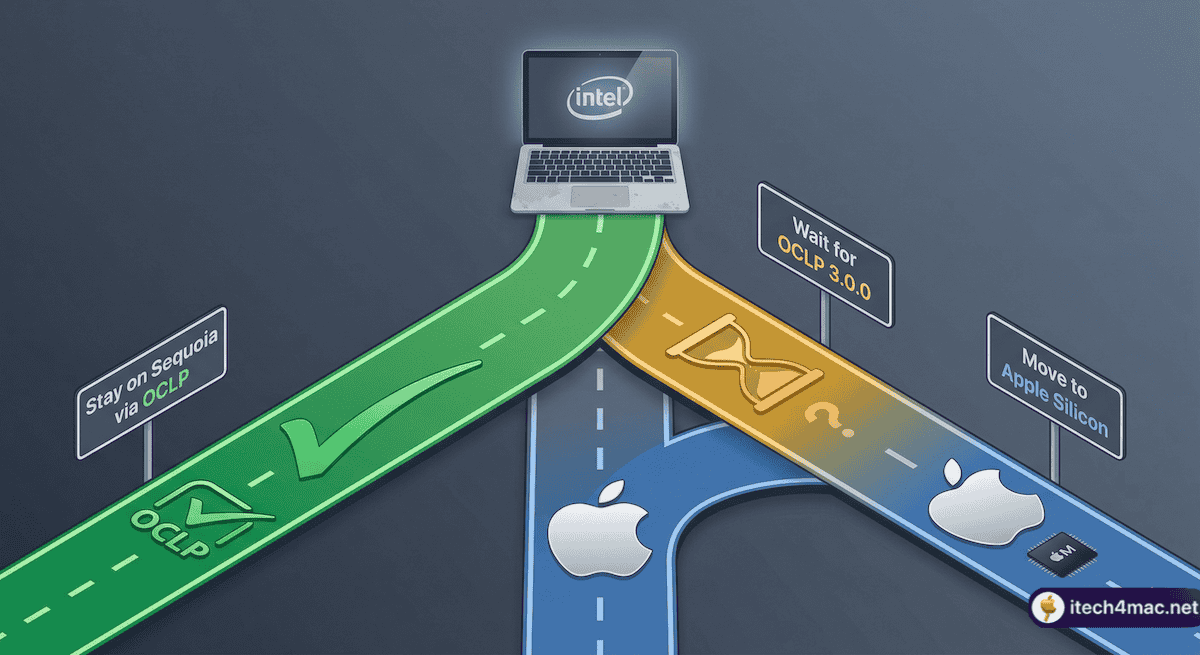
Option 1: Stay on macOS Sequoia via OCLP 2.4.1
This is the recommended path for most users. Sequoia is stable, fully patched by OCLP 2.4.1, and will receive Apple security updates for another year or more. Most modern apps still support it.
Option 2: Wait for OCLP 3.0.0
Watch the official OCLP GitHub releases page (github.com/dortania/OpenCore-Legacy-Patcher/releases) and the r/OpenCoreLegacyPatcher subreddit. When a stable release drops, this site will cover it immediately.
Option 3: Move to Linux
For Intel Macs that will eventually lose all macOS support, Linux distributions like Ubuntu or elementary OS run efficiently on older hardware. Not for everyone, but a practical long-term option.
Option 4: Upgrade Your Mac
Used Apple Silicon Macs (M1 Mac mini, M1 MacBook Air) have dropped in price significantly. If your workflow depends on being current with macOS, this may be the most pragmatic path.
The Bottom Line for March 2026
If you own an old Intel Mac running macOS Sequoia via OCLP 2.4.1, you are in the best position available right now. You have a functioning machine, a security runway through 2027, and the possibility — not a guarantee — of a Tahoe upgrade later in the year.
The OCLP project is facing its most challenging chapter, but it is not gone. Watch the official channels, keep your current setup stable, and do not let urgency push you into an experimental install that could destabilize your daily machine.
We will update this article the moment OCLP 3.0.0 stable releases. Bookmark it and check back.
• OCLP GitHub Releases: github.com/dortania/OpenCore-Legacy-Patcher/releases
• OCLP Subreddit: r/OpenCoreLegacyPatcher
• itech4mac OCLP tag: itech4mac.net/tag/oclp/