Mac Freezing Randomly in macOS Tahoe? Here’s How to Diagnose and Fix It
Random freezing in macOS Tahoe — where everything stops responding for 2–30 seconds or the spinning beachball appears constantly — affects Macs from M4 Pro MacBook Pros to 2015 Intel MacBook Pros running OCLP. The causes are well-documented and most are fixable. Here is the complete diagnosis and fix guide for 2026.
Step 1: Diagnose Before You Fix
Open Activity Monitor (Applications → Utilities → Activity Monitor) and look at the CPU tab during a freeze. The most common culprits in Tahoe are:
| Process Name | What It Is | Fix Section |
|---|---|---|
| corespotlightd | Spotlight indexing daemon | Fix 1 below |
| mdworker | Spotlight file processing | Fix 1 below |
| WindowServer | Liquid Glass UI renderer | Fix 2 below |
| NSAutoFillHeuristicController | AI autofill learning — known Tahoe bug | Fix 3 below |
| kernel_task | Thermal throttling or memory pressure | Fix 4 below |
| mds_stores | Spotlight metadata storage | Fix 1 below |
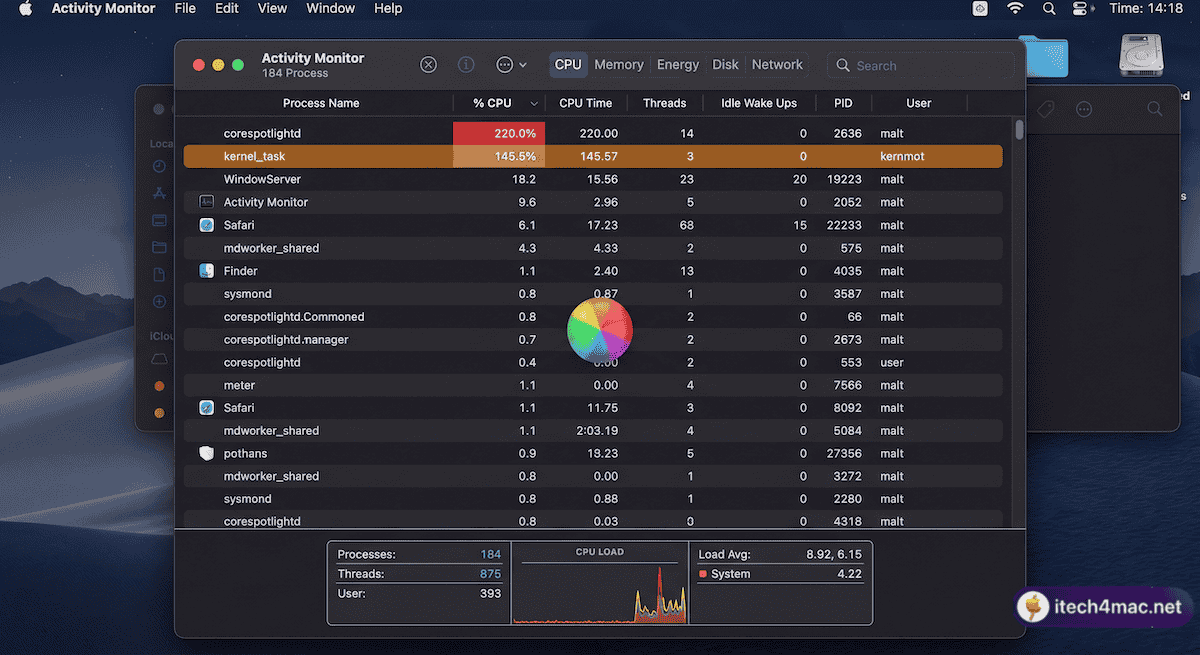
Fix 1: The Spotlight Freeze (Most Common Cause)
The single most reported cause of macOS Tahoe freezing — confirmed by Macworld, Apple Community forums, and r/MacOS — is Spotlight’s background processes. Two specific settings trigger a runaway indexing loop:
Quick Fix (30 seconds):
System Settings → Siri & Spotlight:
  ❌ Show Related Content → OFF
  ❌ Help Apple Improve Search → OFF
Macworld confirmed this instantly stopped freezing on an M3 Max MacBook Pro with 36GB of RAM, where standard troubleshooting and multiple macOS updates had not resolved the issue.
Force Spotlight Reindex (If Still Freezing):
# Delete corrupted Spotlight cache
rm -rf ~/Library/Metadata/CoreSpotlight/

# Restart Spotlight indexing
sudo mdutil -E /
Force Reindex via Settings (No Terminal):
- System Settings → Spotlight → Search Privacy
- Drag “Macintosh HD” into the excluded list
- Wait 30 seconds
- Remove it from the list
- Restart your Mac
Fix 2: WindowServer / Liquid Glass Overload
On Intel Macs and first-generation M1 chips, the GPU can struggle to render Tahoe’s real-time blur effects across multiple windows and high-resolution external monitors. WindowServer consuming 30–80% CPU while idle is a sign of this.
System Settings → Accessibility → Display:
  ✅ Reduce Transparency → ON
  ✅ Reduce Motion → ON
For users with external monitors, try reducing the monitor’s refresh rate. A known bug causes kernel panics when running displays at 240Hz on macOS Tahoe — reducing to 120Hz resolves it.
Fix 3: The NSAutoFillHeuristicController Bug
This background process for Tahoe’s predictive text/autofill features has a known bug in Tahoe 26.2–26.3 where it enters a CPU loop, causing input lag and freezes. It should be fixed in 26.4. Update macOS:
System Settings → General → Software Update
If you cannot update yet, you can disable the process temporarily:
launchctl disable gui/$(id -u)/com.apple.heuristicsd
Fix 4: Third-Party Extension Conflicts
Community reports point to specific software causing Spotlight and system freezes:
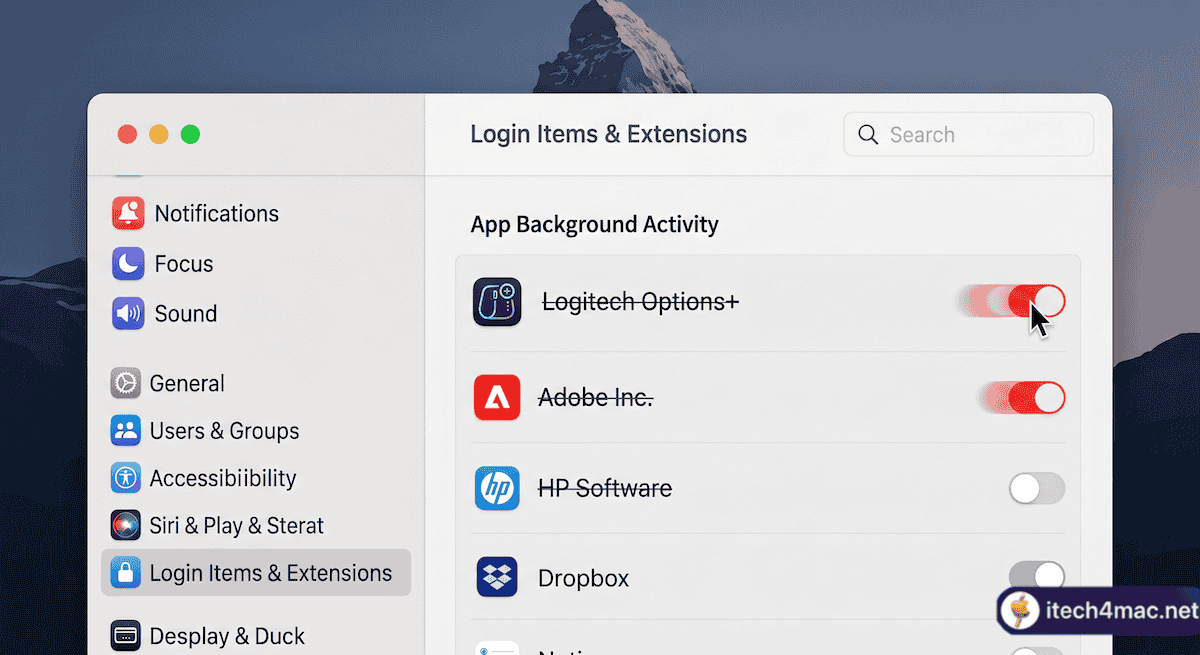
- Logitech Options+ — very widely reported; disabling its background activity in Login Items fixed Spotlight for many users
- Adobe Creative Cloud — its background activity conflicts with Tahoe’s Spotlight extensions
- HP software, ESET antivirus, Malwarebytes — all reported as causes of kernel extension conflicts
- Little Snitch — incompatible versions cause network connection loss and freezes; update to the Tahoe-compatible version
To identify and disable problem extensions:
System Settings → General → Login Items & Extensions
Turn off items one by one, restarting after each, until freezing stops.
Fix 5: Time Machine Interference
Multiple users in Apple Community forums confirmed that Time Machine was silently triggering system freezes in Tahoe 26.2–26.3 by attempting to back up mid-indexing simultaneously. Temporarily disconnect Time Machine drives:
System Settings → General → Time Machine → Remove backup drives temporarily
Allow Spotlight to finish reindexing (check Activity Monitor until mds_stores calms down), then reconnect your Time Machine drive.
Fix 6: Create a New User Account (Isolate the Problem)
- System Settings → Users & Groups → Add Account
- Log in to the new account and test for 30 minutes
- If no freezes occur: the problem is account-specific (corrupted preferences or caches in your main account)
- If freezes still occur: the problem is system-wide
Fix 7: SMC Reset + NVRAM Reset (Intel Macs)
If freezing is accompanied by the display flashing or unexpected reboots, thermal management may be involved:
# SMC Reset (MacBook with non-removable battery)
Shut down → Hold Shift + Control + Option + Power (10s) → Release → Start

# NVRAM Reset
Shut down → Power on → Hold Option + Command + P + R (20s) → Release
Fix 8: Run Disk First Aid
Applications → Utilities → Disk Utility → Select Macintosh HD → First Aid → Run
• macOS Tahoe Slow Performance? 12 Fixes
• Kernel Panic on Mac: What It Means and How to Fix It
• itech4mac: Severe Lag and Freezing in macOS Tahoe
• Macworld’s report: Spotlight-caused Tahoe freezing fix