Apple Confirms macOS Tahoe as Final Update for Intel-Based Macs: What It Means for Users
In a big shift for Mac users, Apple dropped a major announcement at WWDC 2025: macOS Tahoe, also known as macOS 26, will be the final operating system to support Intel-based Macs.
If you’re still rocking an Intel-powered MacBook Pro, iMac, or Mac Pro, this news might hit hard. But don’t worry—I’m here to break it all down in a way that’s easy to digest, so you can figure out what’s next for your device.
Let’s walk through what this means, which Macs are affected, and how you can plan for the future.

Step 1: Understanding the macOS Tahoe Announcement
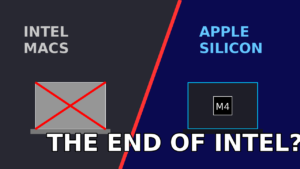
At WWDC 2025, Apple made it crystal clear during their Platforms State of the Union address that macOS Tahoe is the end of the road for Intel-based Macs. Starting with macOS 27 (expected in fall 2026), only Macs with Apple Silicon chips—like the M1, M2, M3, or upcoming M4—will get new macOS updates. This move wraps up a 20-year era of Intel-powered Macs, which began back in 2006 when Apple ditched PowerPC processors.
Why is Apple doing this? It’s all about their custom-built Apple Silicon chips. These M-series processors are faster, more power-efficient, and let Apple roll out slick features like Apple Intelligence, which won’t work on Intel Macs. By focusing solely on Apple Silicon, Apple can streamline macOS development and push the Mac platform forward.
Step 2: Which Intel Macs Can Run macOS Tahoe?
Not every Intel Mac can even upgrade to macOS Tahoe, so let’s check if your device makes the cut. Apple’s official compatibility list for macOS Tahoe includes just four Intel-based models from 2019 and 2020:
- MacBook Pro (16-inch, 2019)
- MacBook Pro (13-inch, 2020, with four Thunderbolt 3 ports)
- iMac (27-inch, 2020)
- Mac Pro (2019)
If you’ve got an older Intel Mac—like a MacBook Air, Mac mini, or a MacBook Pro from 2018 or earlier—you’re already out of luck. These devices are stuck on macOS Sequoia (macOS 15) or earlier and won’t get the Tahoe update. To see if your Mac qualifies, click the Apple icon in the top-left corner, select “About This Mac,” and check your model details.
Step 3: What Happens After macOS Tahoe?
If your Intel Mac can run macOS Tahoe, you’ll get to enjoy its new features, like the “Liquid Glass” UI, an upgraded Spotlight search, and a built-in clipboard manager. But here’s the catch: Tahoe is your last stop for major macOS updates. After this, your Mac won’t get new features or apps introduced in macOS 27 or beyond.
The good news? Apple isn’t abandoning Intel Macs entirely just yet. They’ve promised security updates for macOS Tahoe through roughly fall 2028. That means your Mac will stay protected against viruses and bugs for about three more years, even if it misses out on shiny new features. For comparison, Macs stuck on macOS Sequoia will get security patches until fall 2027, while macOS Sonoma devices have just one year left.
Step 4: How This Impacts Hackintosh and OpenCore Users
If you’re part of the Hackintosh or OpenCore community—folks who run macOS on non-Apple hardware—this news is a game-changer. Since Hackintosh systems rely on Intel processors, macOS Tahoe marks the end of official macOS support for these custom builds. Without x86_64 kernel and driver support in macOS 27, Hackintosh setups will be stuck on Tahoe, with no path forward for new updates.
Some in the community are already exploring alternatives, like switching to Linux, but many are just planning to enjoy macOS Tahoe while it lasts. If you’re running a Hackintosh, now’s the time to think about your next move.
Step 5: The Role of Rosetta 2
Rosetta 2 is Apple’s tool that lets Intel-based apps run on Apple Silicon Macs. If you’re sticking with an Intel Mac, this isn’t a big deal for you, but it’s worth noting that Apple is winding down Rosetta 2 support, too. It’ll stay fully functional through macOS 26 and 27, but starting with macOS 28 (expected in 2027), Rosetta 2 will only support a small subset of older games that rely on Intel frameworks. This is another sign that Apple’s all-in on Apple Silicon.
Step 6: Should You Upgrade to an Apple Silicon Mac?
If your Intel Mac is on its last legs or you’re itching for features like Apple Intelligence (exclusive to M1 Macs and newer), now might be the time to consider upgrading. Apple Silicon Macs are a huge leap forward in performance and battery life. For example, the M1 MacBook Air from 2020 still holds its own against many Intel-based MacBook Pros from the same era.
Here’s a quick checklist to decide if it’s time to upgrade:
- Your Mac is too slow: If your Intel Mac struggles with everyday tasks or modern apps, an M-series Mac will feel like a rocket.
- You want Apple Intelligence: Features like AI-powered Shortcuts, Genmoji, and ChatGPT-enhanced Image Playground are only available on Apple Silicon.
- You need long-term support: Newer Macs will get macOS updates for years to come, keeping you up to date with the latest features and security.
If you’re happy with your Intel Mac’s performance and don’t mind missing out on new macOS features after Tahoe, you can keep using it until security updates run dry in 2028. Just make sure to install macOS Tahoe this fall to stay as current as possible.
Step 7: How to Prepare for macOS Tahoe
If your Mac is compatible with macOS Tahoe, here’s how to get ready for the update, which drops this fall (likely September 2025):
- Check compatibility: Confirm your Mac is one of the four supported Intel models listed above.
- Back up your data: Use Time Machine or another backup tool to save your files before upgrading.
- Free up space: macOS updates need plenty of storage, so clear out old files or apps you don’t need.
- Join the beta (optional): If you’re feeling adventurous, you can try the macOS Tahoe beta now, but be warned—betas can be buggy.
- Stay informed: Keep an eye on Apple’s official macOS Tahoe preview page for the latest details.
Why This Is a Big Deal (and Why It’s Not the End of the World)
Apple’s decision to drop Intel support isn’t a huge surprise. They’ve been transitioning to Apple Silicon since the M1 chip debuted in 2020, and most Macs sold today are M-series. The last Intel-based Mac, the 2019 Mac Pro, was discontinued in 2023. Compared to the PowerPC-to-Intel switch in the 2000s, Apple’s given Intel Macs a solid run, with five major macOS releases since the M1’s launch.
For most users, this change just means planning ahead. If your Intel Mac is still going strong, you’ve got a few years of security updates to keep it safe. If it’s time for a new Mac, Apple Silicon is the way to go for future-proofing your setup.
Final Thoughts
The end of Intel Mac support with macOS Tahoe marks the close of a chapter for Apple, but it’s also a step toward a faster, more efficient Mac future. Whether you’re sticking with your trusty Intel MacBook Pro or eyeing a sleek M4-powered iMac, understanding your options is key. Install macOS Tahoe when it arrives, keep your Mac secure, and decide when (or if) you’re ready to jump to Apple Silicon.
Got questions about macOS Tahoe or your Intel Mac? Drop them in the comments, and I’ll help you sort it out!







5 thoughts on “Apple Confirms macOS Tahoe as Final Update for Intel-Based Macs: What It Means for Users”