WWDC 2025 Highlights: New Feature, Redesigns & More Unveiled
Apple’s Worldwide Developers Conference (WWDC) 2025 wrapped up on June 13, 2025 and it’s been a whirlwind of excitement! Held from June 9 to 13 at Apple Park in Cupertino, this year’s event brought a mix of online sessions and an in-person kickoff, showcasing the latest in Apple’s software world.
The buzz is still strong about what’s new. Whether you’re an iPhone lover, a Mac enthusiast, or just curious about Apple’s next big moves, here’s a detailed look at the standout updates from WWDC 2025.

Why WWDC 2025 Stood Out
WWDC 2025 wasn’t just another tech conference—it marked a bold shift in how Apple names its operating systems. Moving away from version numbers like iOS 18 or macOS 15, Apple now uses years, introducing iOS 26, macOS 26, and more to reflect the 2025-2026 season. The event kicked off with a keynote on June 9 at 10 a.m. Pacific Time, streamed live on Apple’s website, app, and YouTube. With over 100 sessions and labs, developers got hands-on with new tools, while fans got a first look at what’s coming to their devices. Let’s dive into the highlights!
What’s New in WWDC 2025
A Stunning “Liquid Glass” Redesign Across All Platforms
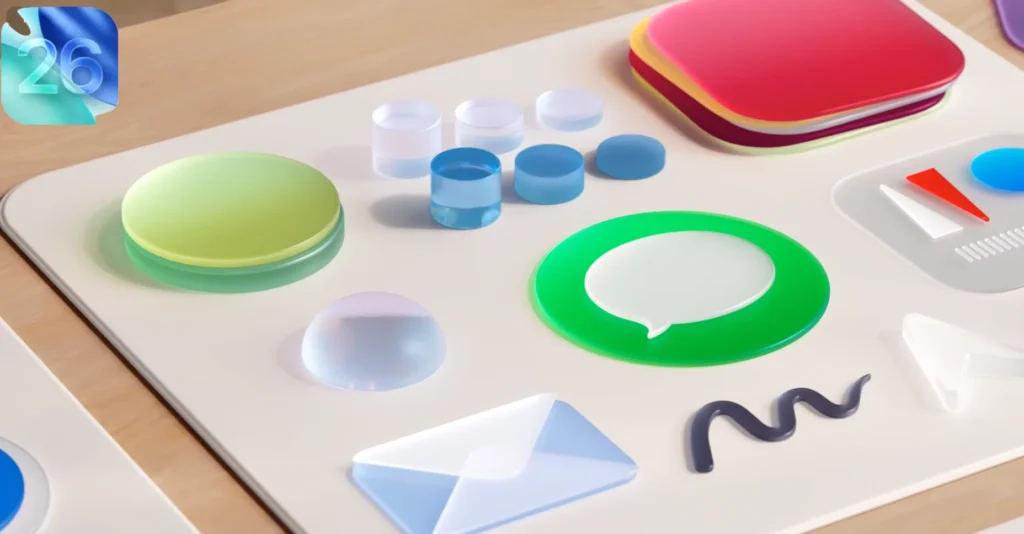
The star of WWDC 2025 was the “Liquid Glass” redesign, Apple’s biggest interface overhaul since iOS 7. This new look, inspired by visionOS, brings translucent menus, rounded buttons, and a glassy aesthetic to iOS 26, iPadOS 26, macOS 26 Tahoe, watchOS 26, tvOS 26, and visionOS 26. Your iPhone’s home screen might feel fresher with rounder app icons, while Macs get a sleeker Finder with transparent effects.
- Why It Matters: This unified design makes switching between your iPhone, iPad, and Mac smoother and more visually appealing.
- Tip: Try out wallpapers that complement the glassy vibe when the update hits this fall!
Smarter Apple Intelligence Features
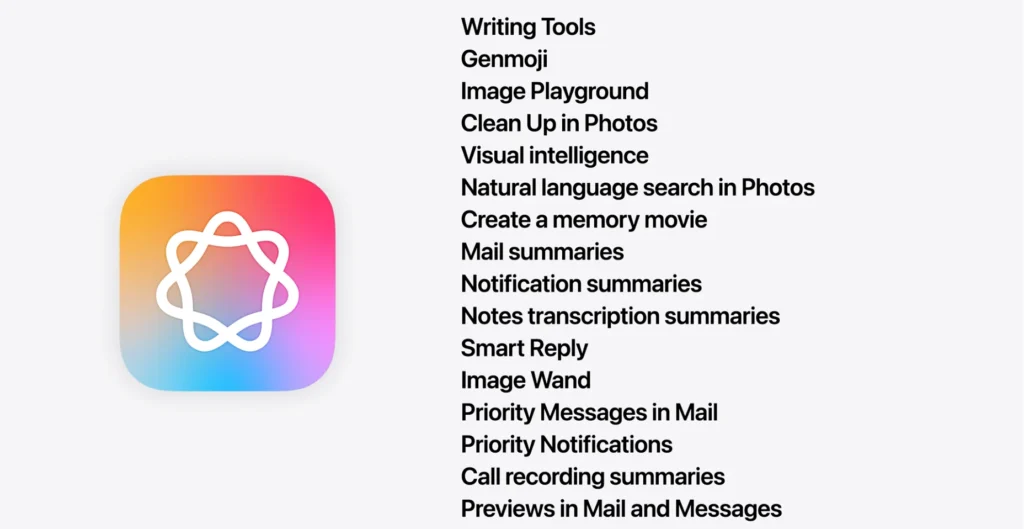
Apple Intelligence took center stage again, with updates that make your devices feel a bit more like personal assistants. Siri got a boost in iOS 26, understanding context better—like finding a file based on a casual “that thing I worked on yesterday.” There’s also a new emoji generator called Genmoji, letting you create custom emojis by combining styles. Plus, the Messages app now supports polls and customizable backgrounds in group chats.
- Why It Matters: These tweaks save time and add fun to your daily phone use.
- Tip: Experiment with Genmoji to spice up your chats once the public beta drops in July!
macOS 26 Tahoe: A Fresh Take on Your Mac
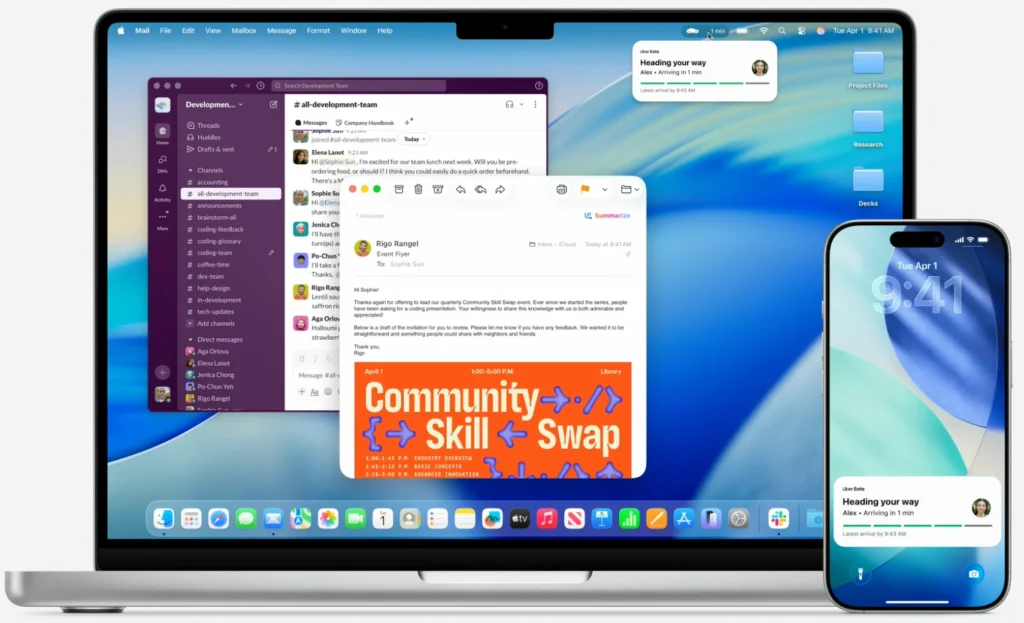
macOS 26, dubbed Tahoe after California’s stunning lake, brings the Liquid Glass design to your Mac. New features include a revamped Files app with resizable columns and drag-to-Dock options, plus a Phone app with shared call history across devices. The Control Center also gets customizable controls, and Live Activities let you track background tasks like video renders.
- Why It Matters: These updates make your Mac more versatile, especially for multitasking.
- Tip: Organize your files now to make the most of the new Files app layout.
iOS 26: More Than Just a Pretty Face
iOS 26 isn’t just about looks—it packs practical upgrades. The Camera app got a cleaner interface with easier mode switching, while the new Games app centralizes your game library and adds co-op challenges. Battery optimization using AI also promises longer life by adapting to your habits.
- Why It Matters: Gamers and photographers will love the new tools, and everyone benefits from better battery life.
- Tip: Test out the Camera app’s new layout during the beta to get comfortable with it.
watchOS 26 and tvOS 26 Enhancements
watchOS 26 introduces a Vitals app to track sleep health with personalized tips, perfect for fitness buffs. Meanwhile, tvOS 26 improves audio with smarter dialogue boosting for 4K Apple TVs, making movie nights clearer. Both updates align with the Liquid Glass theme for a cohesive look.
- Why It Matters: These features cater to health-conscious users and home entertainment lovers.
- Tip: Update your Apple TV settings to test the audio boost with your favorite show!
visionOS 26: Expanding the Vision Pro Experience
For Vision Pro users, visionOS 26 adds support for more video formats and a bigger, higher-resolution virtual monitor—think two 4K screens side by side. This makes it a stronger workspace tool, especially for creatives.
- Why It Matters: It enhances the Vision Pro’s appeal for both work and play.
- Tip: Clear some space to enjoy the expanded virtual display when it arrives!
When Can You Try These Updates?
The WWDC 2025 keynote dropped the first developer betas right after the June 9 event. Public betas are expected in July, with the full rollout likely in September 2025, possibly alongside new iPhones. Some AI features, like a deeper Siri upgrade, might roll out later, so stay tuned!
Finally
WWDC 2025 delivered a mix of stunning design and smart updates that promise to refresh your Apple devices. From the Liquid Glass overhaul to new AI tools and gaming features, there’s something for everyone. Whether you’re excited about iOS 26’s Camera app or macOS 26 Tahoe’s productivity boosts, the fall update will be worth the wait.
What was your favorite WWDC 2025 announcement? Let me know in the comments—I’d love to hear your thoughts!






5 thoughts on “WWDC 2025 Highlights: New Feature, Redesigns & More Unveiled”