Homebrew vs MacPorts in 2026: Which Package Manager Should You Use?
Both Homebrew and MacPorts install open-source software on your Mac. Both are free, both are actively maintained, and both support Apple Silicon and Intel. But they have fundamentally different design philosophies that make one clearly better than the other for most users. Here is the complete comparison for 2026.
Quick Summary
| Homebrew | MacPorts | |
|---|---|---|
| Best for | Most Mac users, beginners, developers | Security-focused users, old Mac owners, Unix power users |
| Installation | One Terminal command | Requires Xcode install first, then .pkg |
| Package count | ~7,000 formulae + casks | ~20,000+ ports |
| Install speed | Fast — pre-built binaries (bottles) | Slower — compiles from source by default |
| Old Mac support | Limited — drops older macOS versions | Excellent — supports much older macOS |
| Default prefix | /opt/homebrew (Apple Silicon), /usr/local (Intel) | /opt/local |
| Uses system libraries | Yes — links against macOS libs where possible | No — installs its own copies of everything |
| Community size | Much larger | Smaller but dedicated |
| GUI apps (Cask) | Yes — via Homebrew Cask | Limited |
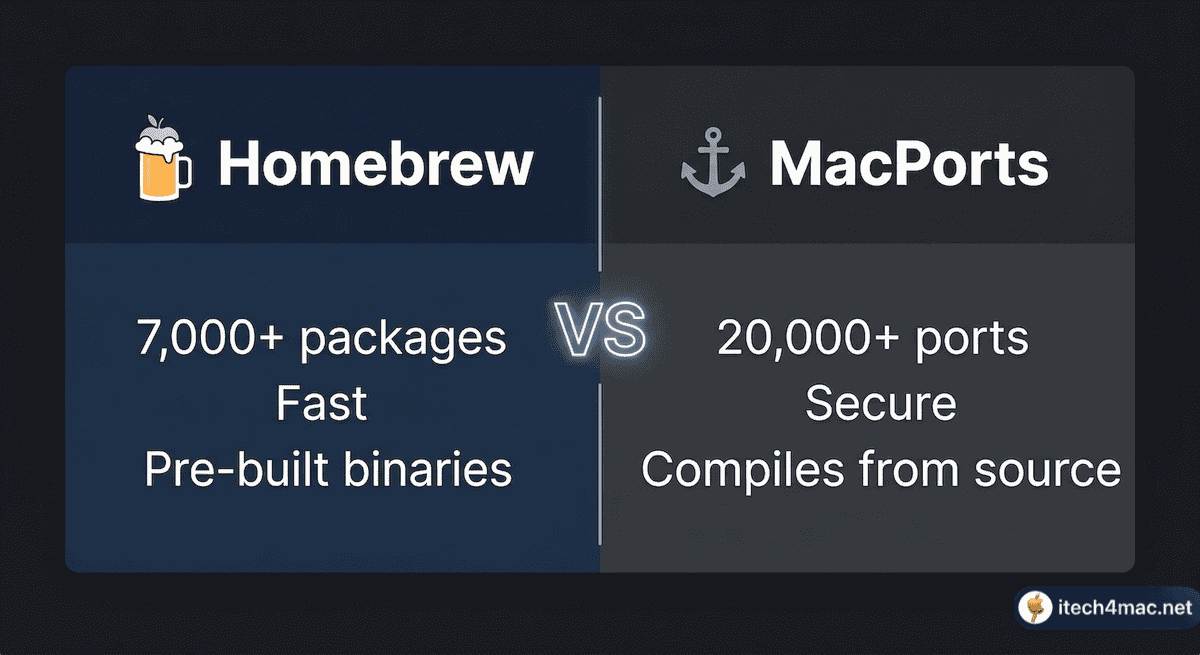
The Key Philosophical Difference
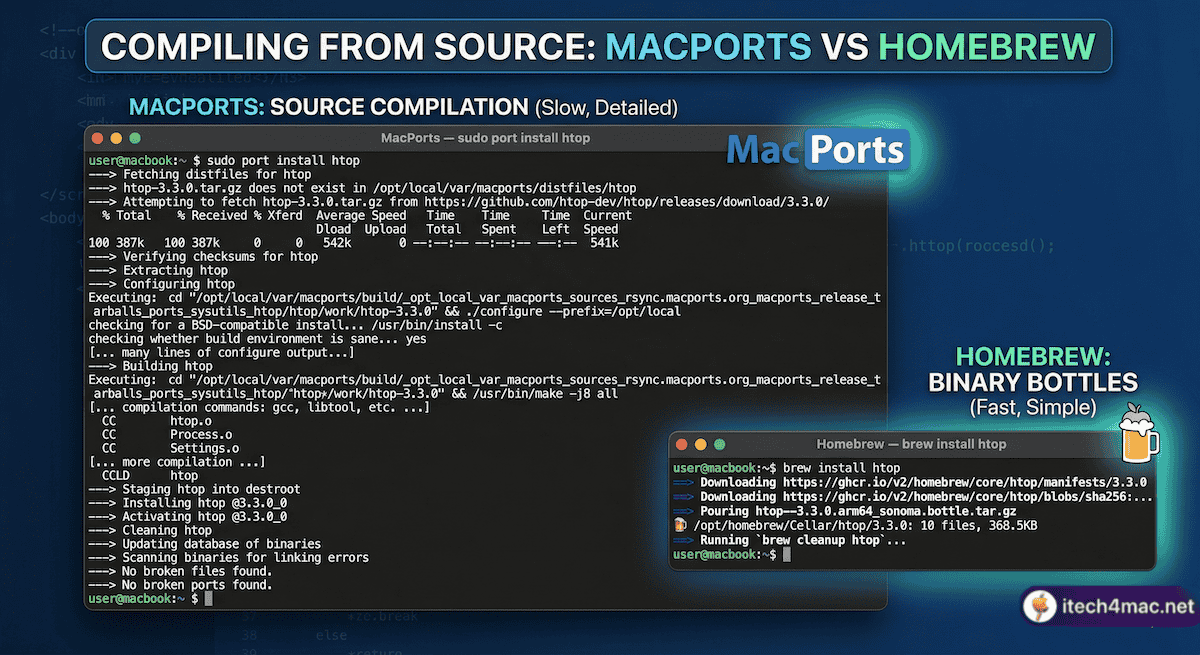
Homebrew’s approach: Be simple, be fast, use what macOS already provides. Homebrew tries to use Apple’s system libraries wherever possible, which keeps installation fast and packages light. However, this also means it can break when macOS changes, and it drops support for older macOS versions as Apple does.
MacPorts’ approach: Be isolated, be consistent, never depend on the OS. MacPorts installs its own copies of every library, compiling everything from source. This makes it slower and heavier, but also more self-contained and more reliably consistent across different macOS versions — including very old ones.
Homebrew in 2026: What You Need to Know
- Version: Homebrew 5.1.0 (released March 2026). Official docs at brew.sh.
- Supported macOS: macOS Tahoe 26, Sequoia 15, Sonoma 14 (Tier 1). Catalina through Ventura unsupported but may work (Tier 3).
- Intel deprecation: Homebrew has officially announced plans to remove Intel support after macOS Tahoe, in line with Apple’s direction.
- OCLP users: Classified as Tier 3 — expect occasional warnings and possible bottle unavailability. See our Homebrew on OCLP guide.
MacPorts in 2026: What You Need to Know
- Supports older macOS: MacPorts continues to support older macOS versions long after Homebrew drops them — a major advantage if you run an old Mac.
- 20,000+ ports: Significantly more packages than Homebrew, including many niche Unix tools not available elsewhere.
- Source compilation: Most packages compile from source — slower installs, but more consistent results and better security isolation.
- Official site: macports.org
When to Use Homebrew
- You are a developer or power user on a modern Mac (Apple Silicon or recent Intel)
- You want fast installs and a simple interface
- You need to install GUI apps via Cask
- You want the largest community and most tutorials
- You are on macOS Sequoia, Sonoma, or Tahoe
When to Use MacPorts
- You run an older Mac on macOS Monterey, Big Sur, or earlier (where Homebrew is unsupported)
- You need niche Unix tools not available in Homebrew
- You prioritise security isolation and are comfortable with slower install times
- You work in a multi-user environment requiring elevated privileges for package management
Can You Use Both at the Same Time?
Technically yes — but it is not recommended for most users. Having both installed can cause PATH conflicts and library confusion. If you must use both, keep them strictly separated and be careful about which prefix is first in your PATH. Most users should pick one and stick with it.