50 Essential Homebrew Packages Every Mac User Should Know (2026)
2,593views
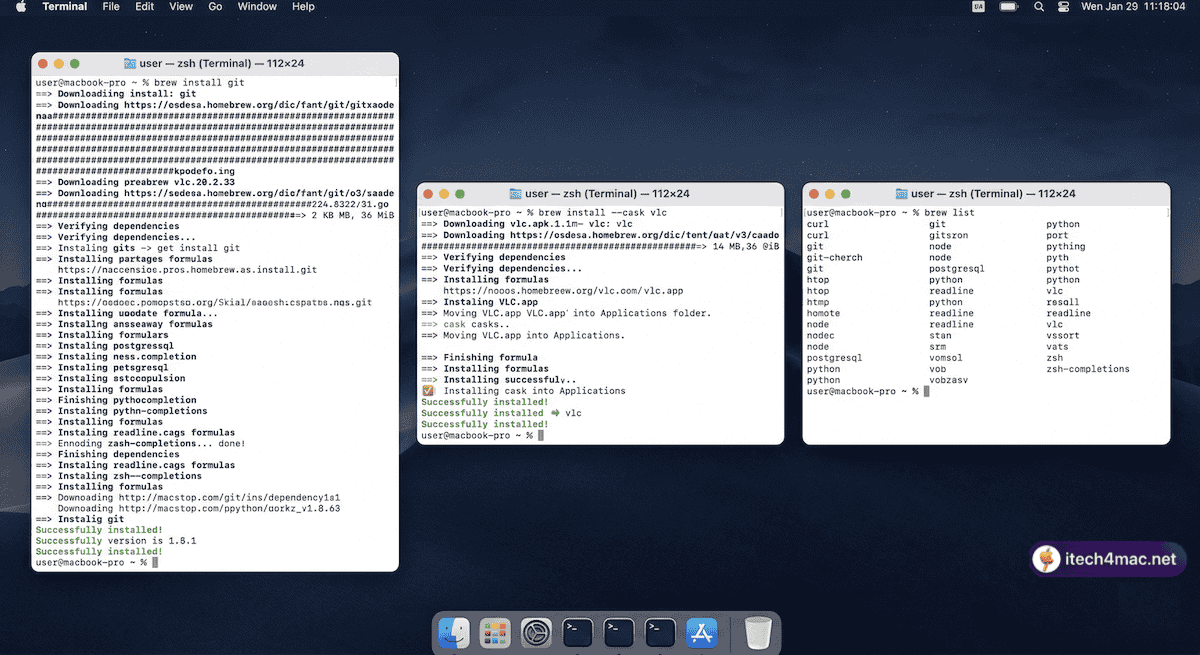
Installing essential developer packages with Homebrew — each takes seconds with pre-built bottles
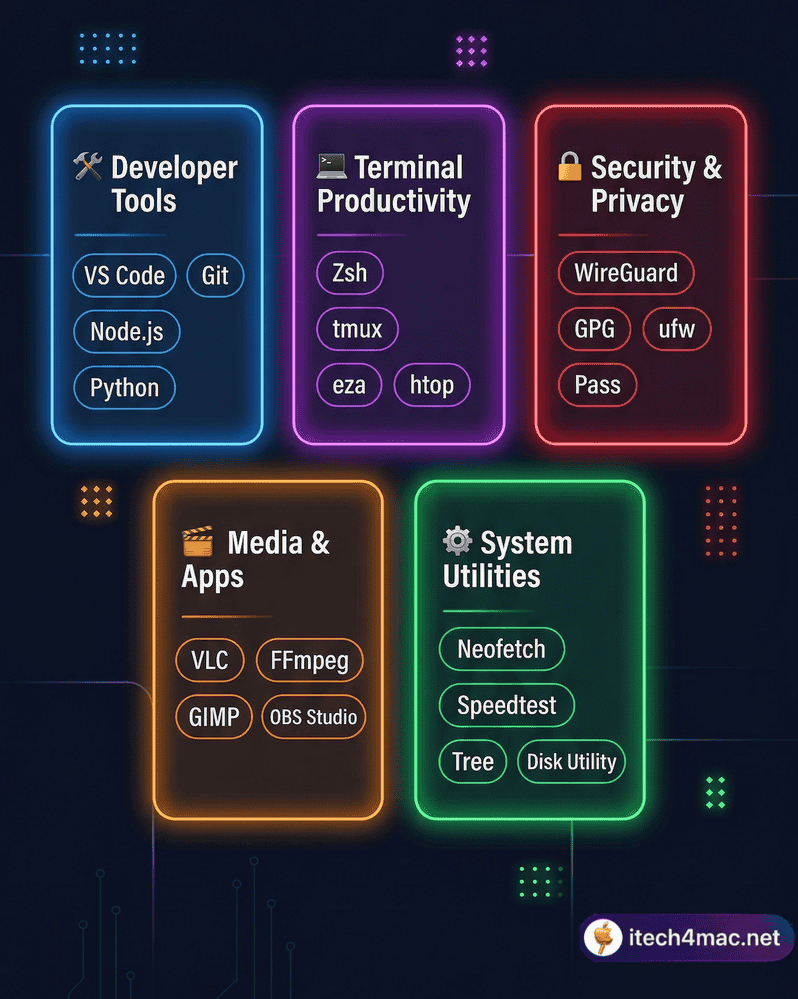
Homebrew packages span developer tools, productivity, security, media and system utilities
Homebrew’s catalogue has over 7,000 packages. Most users install 10 and never explore further. This article curates the 50 packages that actually matter for everyday Mac users in 2026 — split across five clear categories with a one-line install command for each.
💡 New to Homebrew? Install it first with our Homebrew Complete Beginner Guide, then come back here for your package list.
🛠️ Category 1: Essential Developer Tools (10 packages)
| # | Package | What It Does | Install |
|---|---|---|---|
| 1 | git | Version control — essential for every project | brew install git |
| 2 | gh | GitHub CLI — manage repos from Terminal | brew install gh |
| 3 | node | JavaScript runtime for frontend/backend dev | brew install node |
| 4 | python | Latest Python (replaces the outdated system version) | brew install python |
| 5 | wget | Download files from the command line | brew install wget |
| 6 | curl | Transfer data from URLs — HTTP, FTP, and more | brew install curl |
| 7 | ffmpeg | Convert, compress, and process any video/audio | brew install ffmpeg |
| 8 | imagemagick | Batch resize, convert, and edit images | brew install imagemagick |
| 9 | jq | Parse and manipulate JSON from the command line | brew install jq |
| 10 | make | Build automation tool (needed for many source builds) | brew install make |
💻 Category 2: Terminal Productivity (10 packages)
| # | Package | What It Does | Install |
|---|---|---|---|
| 11 | zsh | Modern shell (macOS default, but brew gives you the latest) | brew install zsh |
| 12 | tmux | Terminal multiplexer — split screens, persistent sessions | brew install tmux |
| 13 | fzf | Fuzzy file/history finder — supercharges Tab completion | brew install fzf |
| 14 | ripgrep | Blazing-fast text search through files (faster than grep) | brew install ripgrep |
| 15 | htop | Visual system monitor — better than Activity Monitor | brew install htop |
| 16 | tree | Display directory structure as a visual tree | brew install tree |
| 17 | bat | cat with syntax highlighting and line numbers | brew install bat |
| 18 | eza | Modern ls replacement with icons and git info | brew install eza |
| 19 | zoxide | Smarter cd — jump to directories by frequency | brew install zoxide |
| 20 | tldr | Simplified man pages — practical command examples | brew install tldr |
🔐 Category 3: Security & Privacy (10 packages)
| # | Package | What It Does | Install |
|---|---|---|---|
| 21 | gnupg | GnuPG encryption and signing for files and email | brew install gnupg |
| 22 | openssl | TLS/SSL toolkit — required by many other packages | brew install openssl |
| 23 | nmap | Network scanner for security auditing | brew install nmap |
| 24 | –cask bitwarden | Open-source password manager | brew install --cask bitwarden |
| 25 | –cask keepassxc | Offline open-source password manager | brew install --cask keepassxc |
| 26 | –cask protonvpn | Privacy-focused VPN | brew install --cask protonvpn |
| 27 | age | Simple, modern file encryption tool | brew install age |
| 28 | lynis | Security audit and hardening tool for macOS | brew install lynis |
| 29 | –cask little-snitch | Outgoing network traffic monitor and firewall | brew install --cask little-snitch |
| 30 | hashcat | Password recovery and hash cracking (security research) | brew install hashcat |
🎬 Category 4: Media & Productivity Apps (10 packages)
| # | Package | What It Does | Install |
|---|---|---|---|
| 31 | –cask vlc | Best free video player — plays everything | brew install --cask vlc |
| 32 | –cask iina | Native macOS video player — beautiful UI | brew install --cask iina |
| 33 | yt-dlp | Download videos and audio from YouTube and 1,000+ sites | brew install yt-dlp |
| 34 | –cask rectangle | Snap windows into positions with keyboard shortcuts | brew install --cask rectangle |
| 35 | –cask obsidian | Knowledge management and note-taking app | brew install --cask obsidian |
| 36 | pandoc | Convert documents between formats (Markdown, PDF, Word) | brew install pandoc |
| 37 | –cask keka | Best free file archiver for macOS (zip, 7z, rar) | brew install --cask keka |
| 38 | –cask libreoffice | Free, full-featured Office suite | brew install --cask libreoffice |
| 39 | exiftool | Read, write, and edit metadata in any file type | brew install exiftool |
| 40 | –cask handbrake | Free video transcoder for converting formats | brew install --cask handbrake |
⚙️ Category 5: System Utilities (10 packages)
| # | Package | What It Does | Install |
|---|---|---|---|
| 41 | –cask appcleaner | Completely uninstall apps and their associated files | brew install --cask appcleaner |
| 42 | ncdu | Disk usage analyser — find what is eating your storage | brew install ncdu |
| 43 | mackup | Back up and sync Mac app settings across machines | brew install mackup |
| 44 | –cask iterm2 | The best Terminal replacement for macOS | brew install --cask iterm2 |
| 45 | duf | Better df — visual disk usage with colour output | brew install duf |
| 46 | mas | Mac App Store CLI — install and update MAS apps from Terminal | brew install mas |
| 47 | –cask coconutbattery | Detailed battery health monitor for Mac and iPhone | brew install --cask coconutbattery |
| 48 | –cask stats | System stats in the menu bar (CPU, RAM, network) | brew install --cask stats |
| 49 | –cask balenaetcher | Flash OS images to USB drives (great for OCLP installs) | brew install --cask balenaetcher |
| 50 | –cask grandperspective | Visual disk usage map — see exactly what is using space | brew install --cask grandperspective |
Install All 50 at Once (Power User Script)
Copy this into Terminal to install all formulae at once. Remove any lines for packages you do not need:
brew install git gh node python wget curl ffmpeg imagemagick jq make \
  zsh tmux fzf ripgrep htop tree bat eza zoxide tldr \
  gnupg openssl nmap age lynis hashcat \
  yt-dlp pandoc exiftool ncdu mackup duf mas

brew install --cask bitwarden keepassxc protonvpn vlc iina rectangle \
  obsidian keka libreoffice handbrake appcleaner iterm2 \
  coconutbattery stats balenaetcher grandperspective
📌 Related articles:
• Homebrew Complete Beginner Guide
• Homebrew vs MacPorts 2026
• How to Update Packages and Fix Broken Dependencies
• Browse the full Homebrew catalogue at formulae.brew.sh
• Homebrew Complete Beginner Guide
• Homebrew vs MacPorts 2026
• How to Update Packages and Fix Broken Dependencies
• Browse the full Homebrew catalogue at formulae.brew.sh