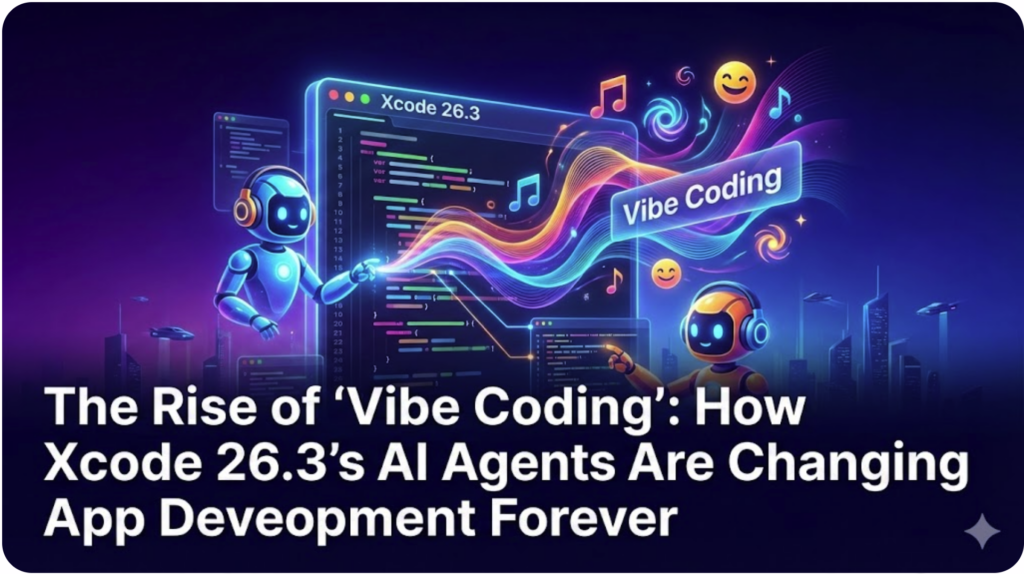
The Rise of ‘Vibe Coding’: How Xcode 26.3’s AI Agents Are Changing App Development Forever
On February 3, 2026, Apple quietly fundamentally changed the definition of “computer programmer.” With the release of Xcode 26.3, the company introduced “Agentic Coding“, a technology that allows artificial intelligence not just to suggest code, but to autonomously navigate, edit, and fix entire projects.
This update has given birth to a viral phenomenon known as “Vibe Coding.” No longer restricted to strict syntax and logic, creators can now build functional applications simply by describing the “vibe” or intent of the software to an AI agent, which handles the heavy lifting.
Whether you are a seasoned engineer worried about the future of your career, or a beginner who has never written a line of Swift, this shift affects you. Here is everything you need to know about the agentic revolution in Xcode 26.3.
What is “Vibe Coding”?
“Vibe coding” is a term emerging from the developer community to describe a workflow where the human provides the creative vision (the “vibe”) and the AI handles the implementation.
In previous versions of Xcode, AI tools acted like advanced autocorrect—they could complete a line of code you were already writing. In Xcode 26.3, the AI acts as a collaborator. You can tell the agent, “Make the login screen feel more welcoming and add a ‘Forgot Password’ flow,” and the agent will:
- Search your project files to find the login view.
- Write the necessary Swift code to update the UI.
- Create the new logic for the password reset.
- Update your project settings if new capabilities are needed.
For beginners, this is “astounding.” Early hands-on reports suggest that non-coders can now generate functional apps without manually typing code, simply by iterating on natural language prompts until the app behaves as intended.
Under the Hood: The “Agentic” Difference
For expert developers, it is crucial to understand the architectural shift here. Apple has moved from “Stateless Assistants” to “Stateful Agents.”
1. Project-Wide Awareness
Unlike previous AI assistants that only “knew” the file you had open, the agents in Xcode 26.3 possess project-wide awareness. They can autonomously explore your file structure, read your documentation, and understand how different parts of your app interact.
2. The Model Context Protocol (MCP)
Apple is not locking you into a single “Siri for Code.” Xcode 26.3 adopts the Model Context Protocol (MCP), an open standard that allows the IDE to interface with third-party Large Language Models (LLMs).
- Anthropic’s Claude: Known for superior reasoning and handling complex architectural instructions.
- OpenAI’s Codex: Often cited for speed in generating boilerplate code.
3. Visual Verification
Perhaps the most futuristic feature is the agent’s ability to “see.” These agents can capture snapshots of Xcode Previewsto visually verify their work. If you ask for a button to be centered, the agent can check the visual preview, see that it is off-center, and correct the code iteratively without you needing to intervene.
How to Enable Agentic Coding in Xcode 26.3
If you are ready to try “vibe coding” yourself, you will need to set up the agents manually. Apple requires you to bring your own API keys for third-party models to ensure privacy and billing separation.
Step-by-Step Guide:
- Update Xcode: Ensure you are running Xcode 26.3 (currently in Release Candidate for developers).
- Open Settings: Go to the Xcode menu and select Settings (or press
Cmd + ,). - Navigate to Intelligence: Look for the new “Intelligence” tab.
- Select Your Provider: You will see options for “Coding Intelligence.” Here you can add accounts for OpenAI or Anthropic.
- Add API Key: You must generate an API key from your OpenAI or Anthropic account dashboard and paste it here.
- Note: You will see a warning that these are third-party services. Apple routes these requests securely, but the model processing happens on the provider’s end.
- Activate the Agent: Open your project and click the Star icon in the top-left corner of the editor to open the Agent sidebar.
The Risks: Is “Vibe Coding” Safe?
While the productivity gains are massive, there are “danger zones” to be aware of.
- Privacy & Cost: Because you are using your own API keys, you are paying for the tokens used. Complex “vibe coding” sessions can rack up costs quickly if the agent gets stuck in a loop.
- “Bloat” Code: Experienced engineers fear that vibe coding will lead to unoptimized, messy codebases that are impossible to maintain. An agent might write 50 lines of code to do what a skilled human could do in 5.
- The “Junior Dev” Crisis: There is a growing sentiment that these agents effectively replace the need for junior developers, as they can handle the basic grunt work that new coders usually learn from.
Finally
Xcode 26.3 is not just an update; it is a glimpse into a future where software is grown rather than built. “Vibe coding” lowers the barrier to entry significantly, allowing anyone with an idea to create an app. However, for the professionals reading itech4mac.net, the value lies in mastering these agents, treating them not as replacements, but as tireless interns capable of executing your architectural vision instantly.
Are you ready to vibe code? Update to Xcode 26.3 today and start building.