Whether you want to play a “soft-launched” game available only in Canada, download a Japan-exclusive RPG, or access a US-only streaming service, the “Walled Garden” of the App Store can feel like a prison.
But there is a backdoor.
Changing your Apple ID region (or creating a secondary one) is perfectly legal, safe, and – if you follow this guide – incredibly easy. Here is the definitive 2026 guide to unlocking the global App Store.

The Two Methods: Which One Is Right for You?
Before you start clicking buttons, you need to choose your strategy. There are two ways to do this, and picking the wrong one can mess up your Apple Music playlists or iCloud subscriptions.
Method A: The “Traveler” (Changing Your Main Account)
- Pros: You keep all your apps in one place.
- Cons: DANGEROUS. You must cancel all active subscriptions (Apple Music, iCloud+, Apple TV) before you can switch. You will also lose your purchase history for the current region.
- Verdict: Only do this if you are actually moving to a new country permanently.
Method B: The “Spy” (Creating a Secondary Account) [RECOMMENDED]
- Pros: Risk-free. You keep your main US/UK/Egypt account for daily use (iCloud, Photos, Music) and use a secondary “Burner Account” just to download the foreign games.
- Cons: You have to sign out and sign in once to download the app.
- Verdict: This is what 99% of people should do. It is safe, fast, and reversible.
Step-by-Step: The “Spy” Method (No Credit Card Needed)
We are going to create a new, separate Apple ID for the target country (e.g., USA, Japan, or Philippines).
Step 1: Prepare Your Email
You need a fresh email address that isn’t linked to an Apple ID. Go to Gmail or Outlook and create a new free email (e.g., [email protected]).
Step 2: Create the ID on the Web (Crucial Step)
Do not try to create the account from your iPhone Settings; it often forces you to add a credit card. Do it on a browser.
- Go to
appleid.apple.com. - Click Create Your Apple ID.
- Fill in your details.
- THE IMPORTANT PART: In the “Country/Region” dropdown, select the country you want to access (e.g., United States).
- Enter a phone number that can receive SMS (you can use your actual local phone number; Apple allows one number on multiple accounts).
- Verify your email and phone number with the codes sent to you.
Step 3: Activate the Account on Your iPhone
Now we need to “initialize” this account in the App Store.
- Open the App Store on your iPhone.
- Tap your profile picture (top right) and scroll all the way down to Sign Out.
- Scroll back up and sign in with your new “Spy” email and password.
- The App Store will pop up a message: “This Apple ID has not yet been used in the iTunes Store.” Tap Review.
- Toggle “Agree to Terms” and tap Next.
Step 4: Bypass the Payment Method
This is where people get stuck.
- You will see a payment screen.
- Under “Payment Method,” tap None.
- Note: If “None” is not an option, it means Apple detected your IP address is suspicious. Try connecting to a VPN for that country or restart the process.
- Billing Address: You need a valid address in that country.
- Tip: Open Google Maps and find a random hotel or library in that country. Use its Zip Code, City, and State.
- Example for US:
- Street: 123 Market St
- City: Portland
- State: Oregon (OR) (Tax-free state!)
- Zip: 97204
- Phone: 123-456-7890
- Tap Next.
Boom! Your App Store will instantly refresh, and you will see the store for that country. You can now search for and download that game.
How to Switch Back (The Daily Workflow)
Once you have downloaded the game (let’s say, Warzone Mobile or Valorant), you don’t need to stay signed in to the foreign account.
- Go back to the App Store.
- Sign out of the “Spy” account.
- Sign back in with your Main (original) Apple ID.
The Magic: The game you downloaded stays on your phone and continues to work. You can play it normally.
The Only Catch: When that game needs an update via the App Store, your phone might ask for the password of the “Spy” account. Just type it in, and the update will proceed. You don’t need to fully switch accounts again.
Troubleshooting: “Payment Method Required” Error
Sometimes, Apple gets strict. If you cannot select “None” as a payment method, here is the fix:
- Use a VPN: Connect to a free VPN server in the target country before you start Step 3. This tricks Apple into thinking you are physically there.
- Buy a Gift Card: If you actually want to buy something (like V-Bucks or a Pro app), you cannot use your local credit card.
- Solution: Go to a site like Amazon or Recharge.com and buy an Apple Gift Card for that specific region (e.g., “US Apple Gift Card”).
- Redeem the code on your “Spy” account. This adds balance and bypasses the need for a credit card.
Frequently Asked Questions
Q: Will I lose my Apple Music songs if I switch? A: If you use Method B (The Spy), absolutely not. Your music, photos, and iCloud drive are linked to your iCloud settings, not your App Store settings. Changing the App Store login does not delete your music.
Q: Is this legal? A: It is not illegal, but it technically violates Apple’s Terms of Service (“You agree not to use the Service… from a country other than the country associated with your Account”). However, millions of people (including expats) do this daily. Apple rarely bans accounts for this unless there is credit card fraud involved.
Q: Can I use the same phone number for both accounts? A: Yes! Apple uses the phone number for 2-Factor Authentication security, not for region locking. You can use your Egyptian/Local number on a US Apple ID without issues.
Ready to play? Go ahead and create your passport to the global App Store. And if you are an Apple gamer, check out my other guide on [How to Connect PS5 Controllers to iPhone for Pro-Level Gaming].
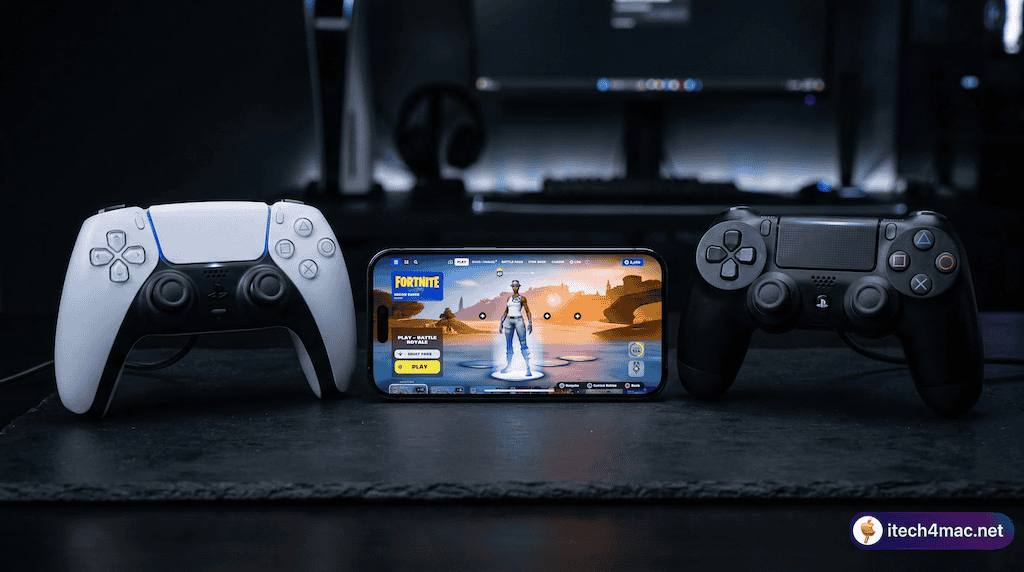
]]>In this guide, we’ll explain how Apple’s controller support actually works, how to pair your PS5 or PS4 controller step by step, how to configure Fortnite’s in-game settings, and how to fix the most common issues. Let’s get started!
Can You Connect a PS5 or PS4 Controller to iPhone for Fortnite?
Yes — and it works natively through iOS. Both the PS5 DualSense and PS4 DualShock 4 connect to iPhone via Bluetooth and are detected automatically by Fortnite once paired. Here’s what makes it work:
Apple added native PlayStation and Xbox controller support in iOS 13 (September 2019) through its Game Controller framework — a system-level API used by all controller-compatible App Store games. This is a common point of confusion: PS4 and PS5 controllers are not MFi (Made for iPhone) certified. MFi is Apple’s program for accessories built specifically to Apple’s specs — things like the SteelSeries Nimbus or Razer Kishi. Sony’s controllers work through Apple’s extended Game Controller framework instead, which means any game supporting MFi controllers automatically supports PlayStation and Xbox controllers too — including Fortnite.
iOS version requirements:
- PS4 DualShock 4: requires iOS 13 or later
- PS5 DualSense: requires iOS 14.5 or later
As for Fortnite on iOS — the game returned to the App Store in May 2025 following Epic’s court victory over Apple. You can now download and play the fully updated, current version directly from the App Store — no workarounds or third-party stores needed. If you’re curious about what other games are trending on iOS right now, check out our list of the 50 most downloaded iOS games from the App Store.
What You Need Before You Start
- iPhone running iOS 13+ (PS4) or iOS 14.5+ (PS5) — check in Settings → General → About
- Fortnite installed from the App Store
- A PS5 DualSense or PS4 DualShock 4 controller with sufficient battery charge
- Bluetooth turned on on your iPhone
- Controller not currently connected to a PS4 or PS5 console (you must disconnect it from the console first)
How to Connect PS5 or PS4 Controller to iPhone — Step by Step
The pairing process is nearly identical for both controllers. The only difference is the button combination used to enter pairing mode.
Step 1: Disconnect the Controller from Your Console First
If your controller was last used with a PS4 or PS5, it will try to reconnect to that console automatically and won’t appear in your iPhone’s Bluetooth list. You must break that association first:
- PS4: On the PS4 console go to Settings → Devices → Bluetooth Devices, select the controller and choose Forget Device. Or simply power off the PS4.
- PS5: On the PS5 console go to Settings → Accessories → General → Bluetooth Accessories, select the controller and choose Delete. Or simply power off the PS5.
Step 2: Put the Controller into Bluetooth Pairing Mode
Make sure the controller is fully powered off first. If it’s on, hold the PS button for about 10 seconds until the light turns off.
- PS4 DualShock 4: Hold the PS button + Share button simultaneously until the light bar flashes white rapidly.
- PS5 DualSense: Hold the PS button + Create button simultaneously until the light bar flashes blue rapidly.
The rapid flashing means the controller is broadcasting as a Bluetooth device and is ready to pair. Note: a slow pulse means it’s trying to reconnect to a console — that’s not pairing mode.
Step 3: Connect via Bluetooth on iPhone
- On your iPhone, open Settings → Bluetooth and make sure Bluetooth is On.
- Under Other Devices, wait for the controller to appear:
- PS4: “DualShock 4 Wireless Controller”
- PS5: “DualSense Wireless Controller”
- Tap the name to pair.
- The light bar will change to a solid color when connected:
- PS4 DualShock 4 → solid pink / light blue
- PS5 DualSense → solid orange
Tip: If the controller doesn’t appear after 30–40 seconds, repeat Step 2 — the pairing mode window times out after about 60 seconds.
Step 4: Open Fortnite and Configure Controls
- Launch Fortnite on your iPhone. The game will detect the controller automatically.
- Touch controls may still appear on screen — this is normal and can be reduced in settings.
- In Fortnite, go to Menu (three lines) → Settings → Controller.
- From there you can adjust:
- Look Sensitivity (horizontal and vertical — start around 45–50%)
- Aim Down Sights Sensitivity (start around 40%)
- Auto Sprint — enable this to free up your left thumb for building
- Vibration on/off
- Partial button remapping
Step 5: Start Playing
Drop into a Creative mode or bot lobby first to dial in your sensitivity before jumping into a real Battle Royale match. Use the PS button to reconnect if the controller ever disconnects mid-game. For the best experience, reduce other Bluetooth devices running nearby to minimize interference.
Default Button Layout for Fortnite on iPhone (PS4 / PS5 Controller)
Fortnite uses the standard console layout when a controller is connected to iOS:
| Action | PS4 / PS5 Button |
|---|---|
| Move | Left stick |
| Aim / Look | Right stick |
| Shoot | R2 (trigger) |
| Aim Down Sights | L2 (trigger) |
| Jump | Cross (✕) |
| Crouch / Slide | Circle (○) |
| Reload / Interact | Square (□) |
| Build Mode Toggle | Triangle (△) |
| Weapon / Item Select | D-Pad |
| Sprint toggle | L3 (left stick click) |
| Map | Touchpad click |
| Menu / Pause | Options button |
Button mapping can be partially adjusted inside Fortnite’s Controller settings if the default layout doesn’t suit your playstyle.
What Works and What Doesn’t on iPhone
✅ What works well
- All main face buttons, analog sticks, D-pad, and shoulder buttons (R1/L1, R2/L2)
- R2/L2 triggers work correctly for shooting and aiming
- Basic rumble / vibration on both controllers
- Touchpad click registers as a button press (map shortcut)
- Automatic detection by Fortnite — no setup app required
- Controller stays paired to your iPhone for future sessions
⚠️ What doesn’t work on iOS
- PS5 Adaptive Triggers: Variable resistance in R2/L2 (a PS5 console exclusive feature) — not supported on iOS. Triggers behave as standard digital inputs.
- PS5 Advanced Haptics: The DualSense’s high-definition haptic motor — not supported. Only standard rumble works.
- Touchpad swipe gestures: Swiping the touchpad doesn’t map to any action. Only the click registers.
- Motion / gyroscope aiming: Not supported in Fortnite on iOS.
- Touch overlays: On-screen touch buttons still appear but can be set to 0% opacity in Fortnite’s HUD settings.
PS5 vs PS4 Controller on iPhone — Which Should You Use?
If you own both, the PS5 DualSense is the better everyday choice — newer build quality and longer battery life. However, on iOS you won’t notice any difference in actual Fortnite gameplay since the adaptive triggers and haptics don’t function. Both controllers deliver identical inputs inside the game.
If you only have a PS4 DualShock 4, it works just as well — and its iOS 13 minimum requirement means it’s compatible with older iPhones that can’t update to iOS 14.5. Whichever controller you use, both are far more precise than touch controls for building and aiming in Fortnite.
Troubleshooting: PS5 / PS4 Controller Not Working with iPhone
Controller doesn’t appear in Bluetooth list
- Check you’re pressing the correct button combination: PS + Share (PS4) or PS + Create (PS5).
- The light bar must be rapidly flashing, not slowly pulsing. A slow pulse means it’s trying to reconnect to a console — you need to forget the device on the console first (Step 1).
- Restart Bluetooth on your iPhone: toggle it off and back on in Settings.
- Move closer to your iPhone — keep it within 1–2 meters during initial pairing.
Controller connects but Fortnite doesn’t respond
- Force close Fortnite and relaunch it with the controller already connected.
- Confirm your iPhone meets the iOS version requirement: iOS 13+ (PS4) or iOS 14.5+ (PS5).
- Make sure Fortnite is fully updated from the App Store.
- Go to Fortnite Settings → Controller and confirm the controller is listed and active there.
Controller keeps disconnecting
- Turn off other nearby Bluetooth devices (AirPods, speakers) to reduce interference.
- Stay within 5–8 meters of your iPhone during play.
- Check controller battery — low battery causes unstable Bluetooth. Charge before long sessions.
- Avoid thick metal phone cases, which can reduce Bluetooth signal range.
Input lag during gameplay
- Close background apps on your iPhone to free up processor resources.
- Switch from mobile data to Wi-Fi for lower in-game latency.
- Disable Low Power Mode (Settings → Battery) — it throttles CPU performance and can increase input delay.
- Turn off Wi-Fi scanning and unnecessary location services while gaming.
Bonus Tips to Get the Best Fortnite Experience
- Use a phone mount / clip: Clip your iPhone onto the controller using a universal phone grip (like the PowerA MOGA XP5-X+ or any generic clip mount). This turns your setup into a handheld console — far more comfortable for long sessions than holding phone and controller separately.
- Enable Auto Sprint: In Fortnite’s controller settings, turn on Auto Sprint so your character runs automatically when you push the left stick forward. This frees up a button press for building and editing.
- Clean up touch overlays: Go to Fortnite → Settings → HUD → HUD Options and set unused touch controls to 0% opacity to give yourself a cleaner screen view.
- Keep the controller charged: PS5 and PS4 controllers drain faster over Bluetooth. Keep a USB cable handy or use a power bank for marathon sessions.
- Practice in Creative first: Before Battle Royale, spend 15–20 minutes in a Creative map practicing building and editing. Controller aiming on a smaller screen takes a real adjustment period.
- Try other controller-supported games: Once your controller is paired, it works across all compatible iOS games — Call of Duty Mobile, PUBG Mobile, Minecraft, Stardew Valley, and all Apple Arcade titles (Apple Arcade games are required by Apple to support controllers).
Frequently Asked Questions
Does Fortnite on iPhone support all PS5/PS4 controller buttons?
Most buttons work correctly. The exceptions are PS5-exclusive features: adaptive triggers, advanced haptics, and touchpad swipe gestures are not supported on iOS. All face buttons, analog sticks, triggers (R2/L2), shoulder buttons (R1/L1), and D-pad work as expected.
Is Fortnite still available on iPhone in 2025?
Yes. Fortnite returned to the US App Store in May 2025 following Epic’s court ruling against Apple. It’s now fully updated and available to download for free from the App Store on iPhone and iPad worldwide.
Do I need a special app or adapter to connect a PS5/PS4 controller to iPhone?
No. Pairing happens through standard Bluetooth in iPhone Settings — no adapter, dongle, or third-party app required. Apple’s Game Controller framework handles everything natively since iOS 13.
Can I use multiple controllers on iPhone for multiplayer?
iPhones support up to four simultaneous Bluetooth controllers through Apple’s Game Controller framework. However, Fortnite on iPhone is a solo experience and doesn’t offer local split-screen multiplayer, so multiple controllers won’t add local co-op in Fortnite itself. For other multi-controller games, your setup will work fine.
Why is my controller light pulsing slowly and not appearing on iPhone?
A slow pulse means the controller is trying to reconnect to your PlayStation console — that’s not pairing mode. To enter pairing mode you need a rapid flash, triggered by holding PS + Share (PS4) or PS + Create (PS5) from a fully powered-off state. Make sure the controller is completely off before pressing the combination, and ensure the console is also off or the controller has been forgotten in the console’s Bluetooth settings.
Can I use this controller with other iPhone games too?
Absolutely — once paired, your PS5 or PS4 controller works with any controller-compatible game on the App Store. Popular options include Call of Duty Mobile, PUBG Mobile, Minecraft, Stardew Valley, Alto’s Odyssey, and the full Apple Arcade library. Check out our full list of the top 50 downloaded iOS games for more controller-compatible titles.
Connecting a PS5 or PS4 controller to your iPhone genuinely transforms your Fortnite experience — the precision of analog sticks over touch controls makes a real, immediate difference in aiming, building, and movement. Setup takes under two minutes, and once paired your controller stays connected for all future sessions. While iOS doesn’t support the PS5’s adaptive triggers or haptics, everything you actually need for competitive play works perfectly. Grab your controller, dive into the battle bus, and dominate your next match!
Have questions or ran into an issue not covered here? Leave a comment below — we read and respond to every one. And if you found this guide useful, check out our other iPhone tutorials for more tips on getting the most out of your device.
]]>System Requirements for Minecraft on to work on Mac
Minecraft Java Edition has modest requirements, but older Macs may struggle with performance. Here’s what you need:
- macOS Version:
- Minimum: macOS 10.14.4 (Mojave) or later. Older versions like 10.7 or 10.8 won’t work, as noted in discussions on Apple Community forums where users reported needing at least 10.8.
- Recommended: macOS 12 (Monterey) or later for optimal performance, especially on Apple silicon Macs (M1, M2, etc.), which gained native ARM64 support in the 2022 Wild Update.
- Processor:
- Minimum: Intel Core i5 (2013 or later) or any Apple silicon chip (M1 or newer).
- Older Macs (pre-2013) may run the game but expect lag, as benchmark tests on Mac Gamer HQ showed a 2013 MacBook Pro achieving 56.7 FPS at low settings.
- RAM: At least 4GB (8GB recommended for smoother gameplay).
- Storage: Approximately 2GB for the game and updates.
- Internet: Stable connection for downloading and multiplayer.
If your Mac is too old (e.g., running macOS 10.7), you’ll need to upgrade the OS via the App Store (current version available is macOS Sequoia as of May 2025). Alternatively, consider a newer Mac if upgrading isn’t possible.
Step-by-Step Guide to Download Minecraft on Any Mac
Step 1: Create or Log In to a Microsoft Account
Minecraft requires a Microsoft account to purchase and play.
- Visit the official Minecraft website (minecraft.net).
- Click Log In at the top.
- Select Sign up for free! if you don’t have an account, or log in with your existing Microsoft account.
- Follow the prompts to create a Gamertag (your public Xbox community name).
Step 2: Purchase Minecraft Java Edition
Macs only support the Java Edition, not Bedrock (unless using virtualization, which is more complex).
- On the Minecraft website, click Get Minecraft.
- Choose Computer, then select Minecraft: Java & Bedrock Edition.
- Note: The bundle includes both editions, but only the Java Edition works natively on Macs. Avoid the Deluxe Collection, as its extras are Bedrock-only and won’t work on macOS.
- Click Buy for the Base Game (priced at $29.99 as of 2025).
- Complete the payment process using your preferred method.
Step 3: Download the Minecraft Launcher
- After purchase, click Download on the website, or go to the download page and select Download for macOS.
- The Minecraft.dmg file will download to your Downloads folder.
Step 4: Install Minecraft
- Open the Minecraft.dmg file from your Downloads folder.
- Drag the Minecraft app icon into your Applications folder as prompted.
- If you’re on an older Mac and see a security warning (Minecraft is a third-party app), go to System Settings > Privacy & Security > General, and click Open Anyway to allow the app.
Step 5: Launch and Log In
- Open Finder, go to Applications, and double-click Minecraft.
- The Minecraft Launcher will open and may download additional updates (ensure you have an internet connection).
- Log in with your Microsoft account.
- Click the green Play button to start the game.
Step 6: Check for Compatibility on Old Macs
- If you’re on an older Mac (e.g., pre-2013 Intel models), the game may run but could be laggy. Lower the graphics settings (e.g., render distance, shadows off) to improve performance.
- Older versions of Minecraft can be accessed via the launcher if your Mac struggles with the latest updates. Some users on X have noted that you can download older versions directly in the launcher by selecting them under the “Installations” tab.
Special Notes for Old Macs
- Java Dependency: Since 2017, Minecraft no longer requires a separate Java installation, as the launcher includes its own optimized Java version. If prompted to install Java, you’re using an outdated installer—uninstall it and download the latest launcher from the official site.
- Performance: Older Macs (e.g., 2010–2013 models) may achieve 30–45 FPS at low settings, as per Mac Gamer HQ benchmarks. This is playable but not ideal for busy servers or high render distances.
- OS Upgrades: If your Mac can’t run macOS 10.14.4 or later, you won’t be able to install the latest Minecraft version. Check Apple’s support page for OS upgrade eligibility.
Special Notes for New Macs (Apple Silicon)
- Native Support: Since the 2022 Wild Update, Minecraft runs natively on Apple silicon (M1, M2, M3, etc.), offering better performance and efficiency.
- Rosetta: If you’re using an older Minecraft mod or version, macOS may use Rosetta to run Intel-based code, which still performs well on M-series chips.
- Performance: New Macs easily achieve 60+ FPS even at higher settings, making them ideal for modding and multiplayer servers.
Tips for a Smooth Experience
- Storage: Ensure you have at least 2GB free for the game and future updates. Use Disk Utility to check available space.
- Trial Option: Unsure about buying? Download the free trial from the Minecraft website (under the demo section) to play for 1 hour and 40 minutes.
- Clean Your Mac: On older Macs, clear junk files to improve performance. Tools like CleanMyMac can help remove old caches and optimize your system.
- Mods: Minecraft Java Edition on Mac supports mods. Download them via trusted sites like CurseForge, and install them by placing mod files in the “mods” folder (accessible via Finder > Go > Go to Folder > ~/Library/Application Support/minecraft/mods).
Troubleshooting Common Issues
- Game Won’t Launch: If the launcher fails to open, ensure your macOS version meets the minimum requirements. On older Macs, check for pending macOS updates in the App Store.
- Lag on Old Macs: Reduce render distance and disable fancy graphics in the game settings. Close other apps to free up RAM.
- Security Warning: If macOS blocks the app, manually allow it in Privacy & Security settings as described earlier.
- Java Prompt: Older installers may ask for Java. Uninstall them, download the latest launcher from minecraft.net, and try again.
]]>
This article highlights the top 50 downloaded iOS games based on current trends and historical data, providing official links to enhance your exploration. Whether you’re a casual gamer or a dedicated enthusiast, these games are must-tries on your iPhone or iPad.
Top 50 Most Downloaded iOS Games from the App Store (2025)
| Rank | Game | Category | Description |
|---|---|---|---|
| 1 | MONOPOLY GO! | Board/Game | A dynamic twist on the classic Monopoly with online multiplayer. |
| 2 | Roblox | Multiplayer/Simulation | A platform for user-generated games and virtual worlds. |
| 3 | Subway Surfers | Arcade/Endless Runner | Dash through subway tracks while avoiding obstacles. |
| 4 | Candy Crush Saga | Puzzle/Match-3 | Match candies in this addictive puzzle adventure. |
| 5 | Among Us | Multiplayer/Party | Identify the imposter in this social deduction game. |
| 6 | Royal Match | Puzzle/Match-3 | A regal take on match-3 puzzles with vibrant levels. |
| 7 | Stumble Guys | Multiplayer/Party | A chaotic multiplayer battle royale with quirky characters. |
| 8 | Call of Duty: Warzone Mobile | Action/Shooter | Console-quality battle royale experience on mobile. |
| 9 | Minecraft | Sandbox/Adventure | Build and explore infinite worlds with endless possibilities. |
| 10 | Clash of Clans | Strategy | Build your village and battle rival clans. |
| 11 | Fortnite | Battle Royale | Survive and outlast in this popular battle royale. |
| 12 | Genshin Impact | Action RPG | Open-world adventure with stunning visuals. |
| 13 | PUBG Mobile | Battle Royale | Realistic battle royale with intense gameplay. |
| 14 | 8 Ball Pool | Sports/Simulation | Play pool against players worldwide. |
| 15 | Candy Crush Soda Saga | Puzzle/Match-3 | A bubbly spin-off of the original Candy Crush. |
| 16 | Gardenscapes | Puzzle/Match-3 | Restore gardens through engaging match-3 levels. |
| 17 | Homescapes | Puzzle/Match-3 | Renovate a mansion with creative puzzle challenges. |
| 18 | Coin Master | Casual/Slot Machine | Spin slots to build your village and attack others. |
| 19 | Brawl Stars | Multiplayer/Action | Fast-paced 3v3 battles and solo adventures. |
| 20 | Clash Royale | Strategy/Card | Real-time strategy with collectible cards. |
| 21 | Words With Friends | Word/Puzzle | Multiplayer word game similar to Scrabble. |
| 22 | Squid Game: Unleashed | Multiplayer/Party | Inspired by the hit series with survival challenges. |
| 23 | Angry Birds 2 | Puzzle/Physics | Fling birds to destroy pig fortifications. |
| 24 | Plague Inc. | Strategy/Simulation | Create and spread a pandemic to conquer the world. |
| 25 | Block Blast! | Puzzle/Block | Clear blocks in this addictive puzzle game. |
| 26 | Toon Blast | Puzzle/Match-3 | Cartoon-themed match-3 puzzles with unique levels. |
| 27 | Farm Heroes Saga | Puzzle/Match-3 | Match crops to save the farm in this saga. |
| 28 | Mario Kart Tour | Racing | Race with Mario and friends in this mobile karting game. |
| 29 | Stardew Valley | Simulation/RPG | Farm, fish, and build relationships in this indie hit. |
| 30 | Geometry Dash | Arcade/Platformer | Navigate challenging levels with precise timing. |
| 31 | Asphalt 9: Legends | Racing | High-speed arcade racing with stunning graphics. |
| 32 | Plants vs. Zombies 2 | Strategy/Tower Defense | Defend your garden with plants against zombies. |
| 33 | Temple Run 2 | Arcade/Endless Runner | Escape with treasures in this thrilling endless run. |
| 34 | Hearthstone | Card/Strategy | Strategic card battles in the Warcraft universe. |
| 35 | Bubble Shooter | Puzzle | Classic bubble-popping game with modern twists. |
| 36 | Hill Climb Racing 2 | Racing | Off-road racing with physics-based challenges. |
| 37 | Sims Mobile | Simulation | Build and manage virtual lives in this Sims port. |
| 38 | Bowmasters | Action/Arcade | Archery battles with quirky characters. |
| 39 | Solitaire | Card/Puzzle | Classic solitaire with modern enhancements. |
| 40 | Snake.io | Arcade/Multiplayer | Grow your snake and dominate in this io game. |
| 41 | Fruit Ninja | Arcade/Action | Slice fruit with precision in this classic game. |
| 42 | Doodle Jump | Arcade/Platformer | Jump higher and higher in this endless platformer. |
| 43 | Crossy Road | Arcade/Endless Runner | Cross roads and rivers in this pixel-art adventure. |
| 44 | Jetpack Joyride | Arcade/Endless Runner | Fly with a jetpack through obstacle-filled levels. |
| 45 | Magic Tiles 3 | Music/Rhythm | Tap tiles to the beat in this music game. |
| 46 | Bridge Race | Arcade/Strategy | Build bridges to outpace opponents in races. |
| 47 | Duet Cats | Music/Party | Collaborative music game with quirky cat duets. |
| 48 | Papa’s Freezeria To Go! | Simulation | Manage an ice cream shop in this time-management game. |
| 49 | Hello Kitty Island Adventure | Adventure/Simulation | Explore with Hello Kitty in this cute adventure. |
| 50 | NBA 2K Mobile | Sports/Simulation | Play basketball with realistic NBA action. |
Notes
- The list is compiled based on historical data from 2023-2024 (e.g., Apple’s year-end charts, Statista) and projected trends for 2025, focusing on games with consistent popularity and recent mentions (e.g., MONOPOLY GO!, Roblox).
- Official website links are provided where available; for some games (e.g., Apple Arcade titles or indie games), links point to developer or publisher sites (e.g., Hello Kitty Island Adventure via Sanrio).
- The rankings are speculative for 2025 but reflect a broad spectrum of categories (arcade, strategy, RPG, etc.).
The iOS App Store’s top 50 downloaded games in 2025 showcase a diverse range of genres, from strategic battles in Clash of Clans to the endless fun of Subway Surfers. These games, spanning casual puzzles to intense battle royales, continue to dominate due to their engaging gameplay and regular updates. Dive into these titles to find your next favorite and stay tuned for emerging trends in mobile gaming.
]]>